Hey there 👋
Check out the latest improvements we have working on to help you manage your Coliving in the most efficient way!
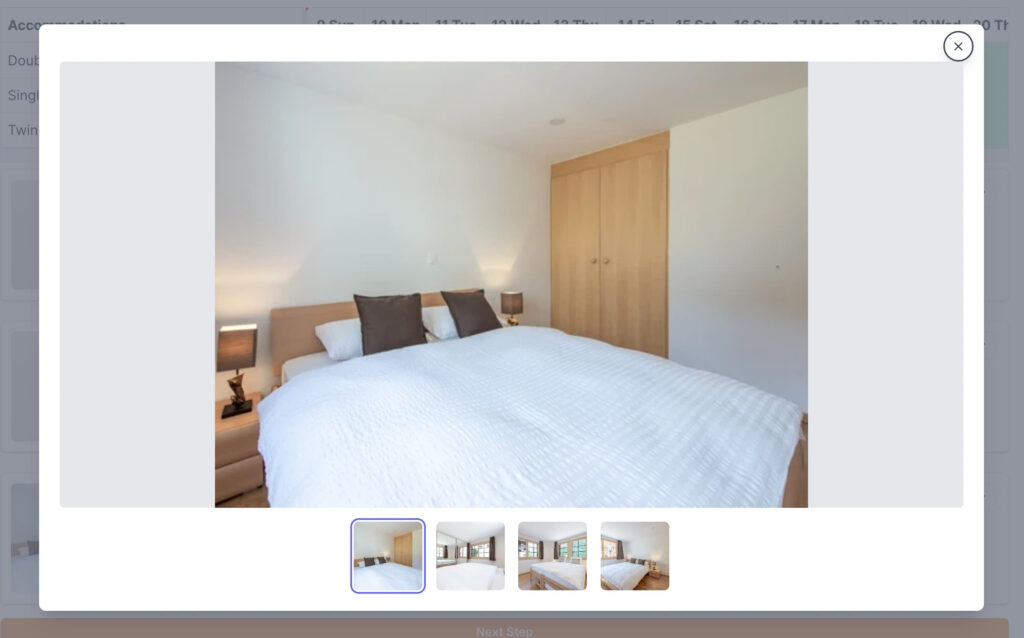
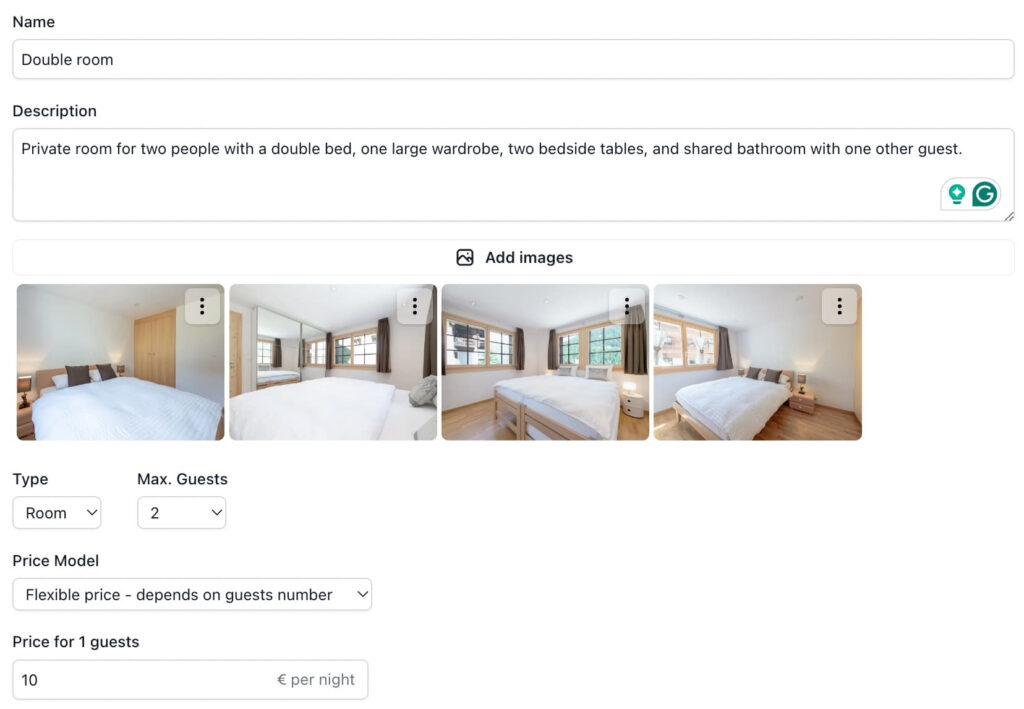
 Multiple pictures per accommodation
Now your accommodations will look better than ever with multiple pictures. Go and edit them
 Charge the remaining amount
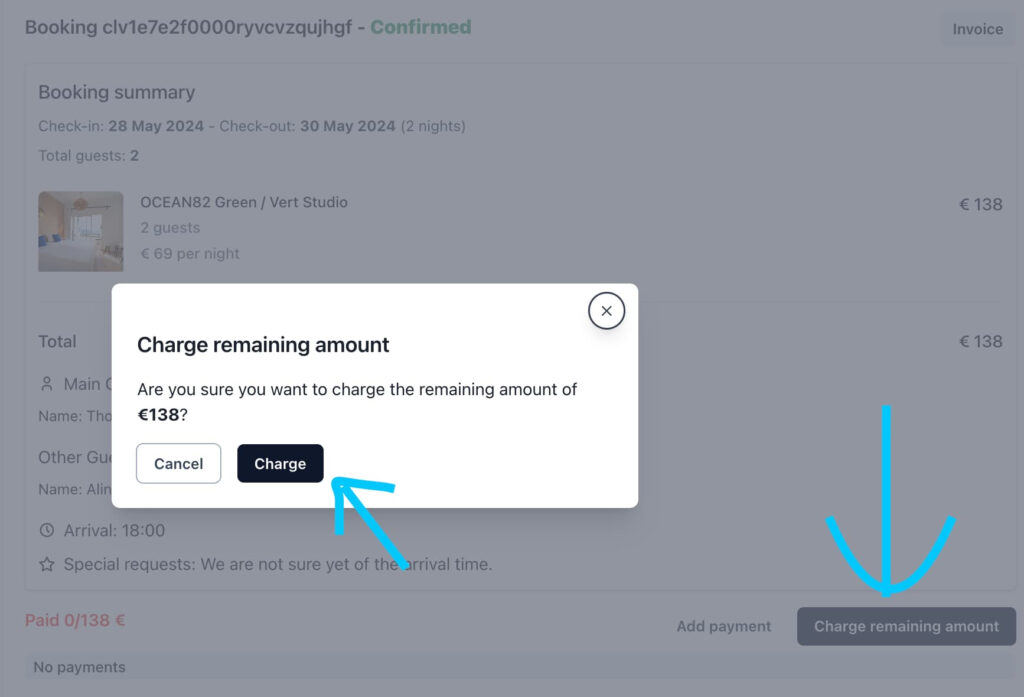
Now its easier than ever to charge the customer the remaining amount with the new button to do so in the booking page
 Custom success booking URL
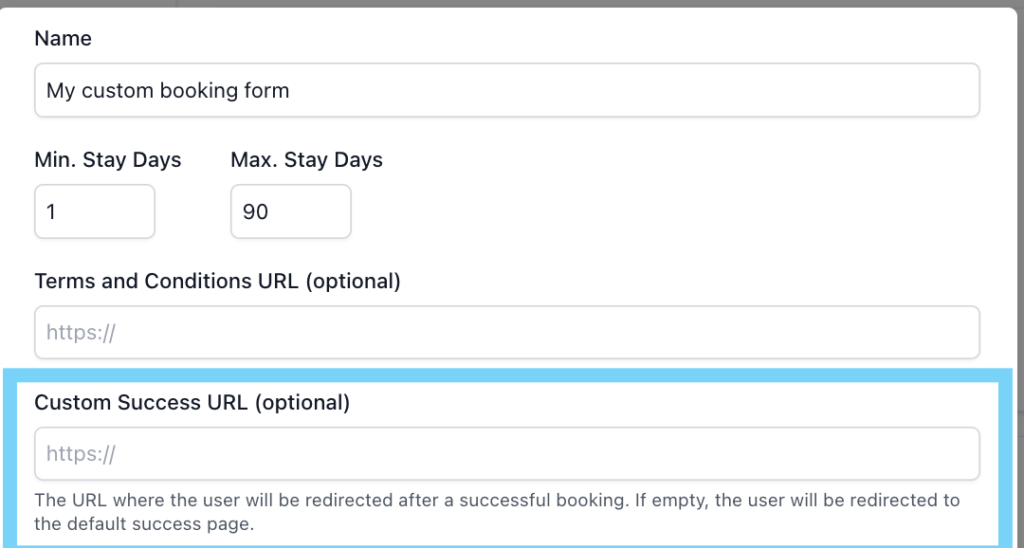
Need the guest to fill out a form? Want to show something special to them once they book? Just update the success booking URL in your booking form so they are redirected there once they finish booking!
🐛 Other bug fixes and features
Some small features and bug fixes have been implemented too
- Now you can create bookings in the past as an admin.
- The seasonal rates are now easier to adjust as they no longer work with percentages. They have been moved to each of the accommodations
- We also made the booking summary more beautiful with the images of the accommodations booked