Running a property means dealing with paperwork — ID copies, signed agreements, payment receipts, travel documents, and more. With Mangobeds, you can attach all of these directly to each booking so everything stays organized and easy to find.
Why Add Documents to Bookings?
Instead of scattered emails and shared drives, every document lives right where it belongs: inside the booking. Whether you need to check a guest’s passport scan or pull up a rental agreement, it’s all just a click away.
- Keep ID copies, contracts, and receipts attached to the right booking
- Both you and your guests can upload documents
- Access everything from the booking’s Documents tab
How to Upload a Document
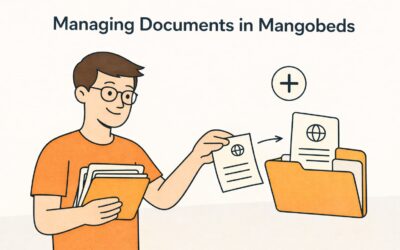
- Open the booking you want to add a document to
- Go to the Documents tab
- Click Add Document
- Select a file from your device — you can upload images (JPG, PNG) or PDFs
- The document is saved instantly and visible to both you and the guest
That’s it. The document is now attached to the booking and accessible anytime.
Guests Can Upload Too
Your guests can also upload documents from the Guest Portal. This is useful when you need them to provide identification, proof of payment, or any other supporting document.
When a guest uploads a document, it appears in the same Documents tab on your side — no back-and-forth emails needed.
Managing Documents
From the Documents tab, you can:
- View any document by clicking on it
- Delete documents you no longer need
- Request a signature on a document (learn more in Get Documents Signed by Your Guests)
Generate Documents from Templates
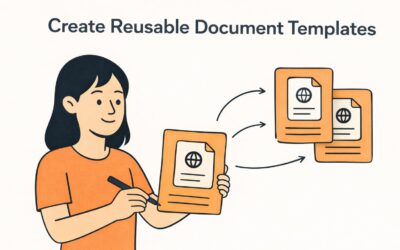
If you find yourself creating the same documents over and over — rental agreements, community rules, check-in instructions — you can use Document Templates to generate them automatically for each booking, pre-filled with the guest’s details.
Learn more in Create Reusable Document Templates for Your Property.
Getting Started
Head to any booking in your property, open the Documents tab, and start uploading. It’s the simplest way to keep your property’s paperwork under control.
Keep Everything in One Place: Add Documents to Bookings
Ever scrambled through inboxes hunting for a guest’s passport scan or a bank transfer receipt? Same. That’s why bookings in Mangobeds let you attach the important stuff right where you manage the stay—so nothing gets lost and everyone’s on the same page.
What you can store (and why it helps)
- IDs & visas: passport, residency docs — quick KYC checks.
- Invoices & receipts: pro-forma, final invoice, bank transfer proof — fewer “did you get it?” messages.
- Agreements & waivers: house rules, deposit terms, liability forms — signed and findable.
- Operational docs: arrival instructions, special permits, company POs — your team won’t chase links.
All files live inside the booking, with timestamps and who uploaded them.
Add a document (30 seconds)
- Open the booking.
- Go to Documents.
- Upload and pick a file.
- Save. Done.
Working with documents
- Preview / Download: open inline or save locally for checks.
- Delete: remove mistakes or duplicates.
- Tag in notes: use clear names so teammates know what’s what.
Best practices
- One booking = one home for all paperwork. No email fishing.
- Standardize names:
YYYY-MM-DD_GuestName_DocType.pdf. - Add before arrival: IDs, payment proof, signed rules — fewer check-in delays.
- Keep sensitive docs lean: only what you actually need for ops/legal.
Conclusion
Stop hopping between emails, drives, and chats. Upload docs straight to the booking, keep an audit trail, and give your team exactly what they need—right when they need it. Faster ops, fewer headaches, happier guests.
Learn more about managing documents in Mangobeds